 how-to
Is a Bin Store Inventory Tracking System Worth It?
Last Updated: November 4, 2026
Quick Summary
A bin store inventory tracking system is worth it once manual records can no longer keep pace with dig-and-hunt volume, since manual tracking costs small businesses around $47,000 yearly in losses. Build it with barcode labels, location codes, and a daily cycle count, and expect free tools to work only under roughly 2,000 units in active stock.
- Manual inventory tracking costs small businesses around $47,000 yearly in losses, per HiFiStar's analysis.
- Use a hierarchical location code like B-03-14 for aisle B, shelf 3, bin 14.
- A useful template needs seven fields, including bin location, quantity, and status.
- Free tools work under roughly 2,000 units in active stock before caps hit.
- Track high-value goods at item level and general merchandise at category level.
Table of Contents
- Why Bin Store Inventory Tracking Breaks Down at Volume
- How a Bin Store Inventory Tracking System Actually Works
- Organizing Bins, Shelves, Location Codes and SKUs
- What Belongs in a Bin Store Inventory Tracking System Template
- Can a Bin Store Inventory Tracking System Free Tool Really Work?
- What Makes the Best Bin Store Inventory Tracking System for Your Operation
- Inventory Control System Examples You Can Copy This Week
- Stock Your Bins With Liquidation Lots That Actually Turn
- Frequently Asked Questions
Why Bin Store Inventory Tracking Breaks Down at Volume
A bin store inventory tracking system fails at volume because manual records cannot keep pace with the speed of a dig-and-hunt sales floor.
The numbers show how expensive that gap gets. Manual inventory tracking costs small businesses around $47,000 yearly in losses, according to HiFiStar's inventory cost analysis.
The problem is not laziness or bad discipline.
The fix is not more paperwork. If your bins are emptying faster than you can refill them, see how to market a bin store locally and fill your bins.
How a Bin Store Inventory Tracking System Actually Works
A bin store inventory tracking system is a method for recording what you have, where it sits, and what it sold, using location codes and SKU labels that link physical bins to a live record.
Each step produces a record. Receiving logs what arrived and in what condition. Putaway assigns a bin location. Picking or selling updates the count. Reconciliation catches the drift.
The market is moving fast in this direction. Xorosoft's 2026 inventory statistics project inventory management software growing from $3.9 billion in 2026 to $7.1 billion by 2033, and AI is shifting from a buzzword to a daily operational tool, per CyberStockroom's 2026 trend report.
For a bin store, the practical version looks like this:
- Barcode labels on every bin and every high-value item
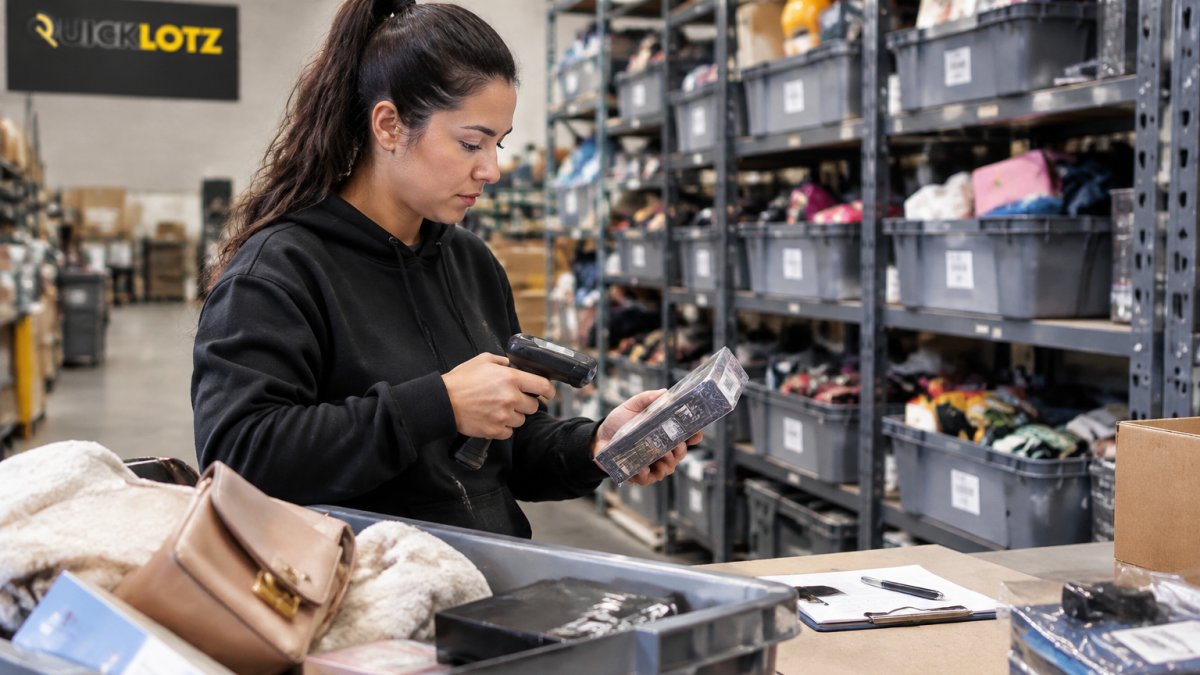
- A handheld scanner or phone app that updates the record in seconds
- Location codes that tell staff exactly where an item lives
That is the whole machine. Everything else is detail.
Organizing Bins, Shelves, Location Codes and SKUs
Organization is the step that decides whether your tracking system survives contact with a busy Saturday. Retailers produced an estimated 2.5 to 5 billion items of excess stock in 2023, per Shopify's excess inventory data, so the volume flowing through discount channels is enormous.
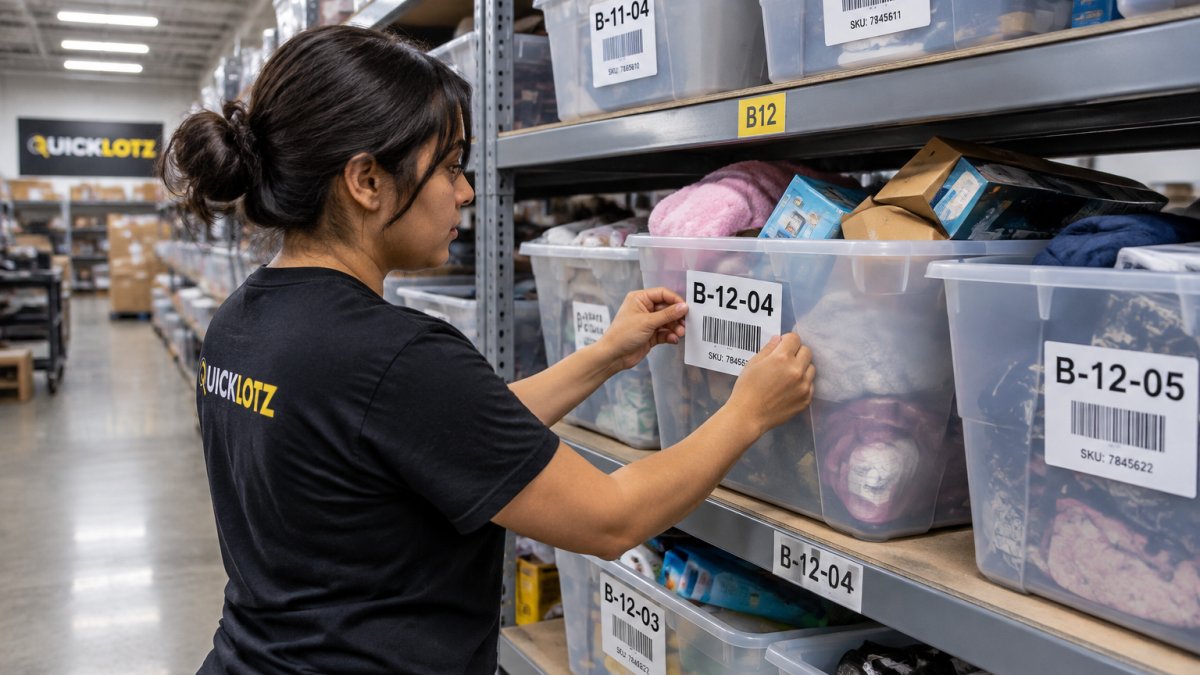
Use a simple hierarchical location code. Aisle, shelf, bin. So B-03-14 means aisle B, shelf 3, bin 14.
For SKUs, resist the urge to create one per item. Bin stores sell mixed lots, so group by category and cost tier instead:
- Category code: TOY, HOME, APPAREL, ELEC
- Cost tier: A for premium, B for standard, C for bulk
- Date code: the week the lot entered the floor
This gives you a SKU like TOY-B-1103, short enough to write by hand, specific enough to report on. Item-level identification only pays off for high-value goods; everything else moves faster with category-level tracking.
What Belongs in a Bin Store Inventory Tracking System Template
A bin store inventory tracking system template needs seven fields to be useful: item description, SKU, bin location, quantity, cost per unit, date received, and status. Anything less and you cannot reconcile. Anything more and staff stop filling it in.
Here is a working template you can copy into a spreadsheet today:
| Field | Example Entry | Why It Matters |
|---|---|---|
| Item description | Bluetooth speaker, mixed colors | Identifies the product |
| SKU | ELEC-B-1103 | Ties item to category and lot |
| Bin location | B-03-14 | Tells staff where to find it |
| Quantity | 12 | Drives stock visibility |
| Cost per unit | Lot cost divided by units | Calculates margin |
| Date received | Week 45 | Tracks stock aging |
| Status | On floor / Hold / Damaged | Flags unsellable stock |
The status field is the one operators skip and later regret. Returns, damaged goods, and shrinkage all need a home in the record, or they quietly inflate your counts.
Can a Bin Store Inventory Tracking System Free Tool Really Work?
Yes, a free bin store inventory tracking system works for operations under roughly 2,000 units in active stock. Beyond that, the free tier usually caps users, scans, or records exactly when you need them most.
The honest breakdown:
- Google Sheets or Excel: genuinely free, flexible, and fine for one or two people. It breaks when two staff edit the same row and when you need scanning.
- Free tiers of inventory apps: most cap at a few hundred items or one user. Useful for testing workflow before you pay.
- Free barcode scanner apps: work well paired with a spreadsheet, but syncing is manual.
There is a real argument for staying simple. A tool you do not use is worse than a spreadsheet you do.
The tipping point is labor. Once tracking eats more than an hour a day, a paid tool pays for itself.
What Makes the Best Bin Store Inventory Tracking System for Your Operation
The best bin store inventory tracking system is the one your staff will actually update during a rush: fast scanning, offline mode, and reports answering one question, what is selling and what is sitting? Tracking what sells and what sits can also clarify whether local liquidation stores offer the kind of inventory and turnover your operation can sustain.
Judge any option against these seven criteria, weighted for bin-store realities:
- Scan speed: under three seconds per item, or staff will skip it during a busy dig-and-hunt Saturday. Test with a stopwatch before you buy.
- Offline capability: warehouses often have weak Wi-Fi. The app must queue scans locally and sync when reconnected, not freeze or lose data.
- Multi-location support: essential for more than one floor, storage unit, or auction lot area, move stock without losing the audit trail.
Then match the tool to your tracking granularity. This is the decision most operators get wrong. Use this framework:
- Item-level tracking: track each unit individually when the item's resale value justifies the labor, typically electronics, tools, and branded goods above a certain cost threshold. Expect 20-40 seconds of labor per item for labeling and scanning.
- Category-level tracking: track by category and cost tier when you sell bulk mixed lots where individual units vary. This is faster but gives you coarser reporting.
- Lot-level tracking: track by liquidation pallet or lot when you need to know which supplier batch is selling and which is sitting. This is essential for evaluating supplier performance.
A common pattern is to use a hybrid: item-level for high-value goods, category-level for general merchandise, and lot-level for supplier scorecards.
Watch out: some systems advertise "lot tracking" but only support it at the receiving stage, not through putaway and sale. Confirm the lot code follows the item all the way to the register, or your supplier reports will be useless.
The research backs the payoff. A Reutlingen University study on IoT smart bins found that sensor-equipped bins could capture and analyze process data automatically, and an Alfa Company case study published in the International Journal of Computer Science and Management reported improved inventory levels, customer service, and overall costs after replacing manual processes.
Inventory Control System Examples You Can Copy This Week
Three inventory control system examples cover most bin store setups. Pick the one that matches your volume, not your ambition.
Setup steps:
- Map your floor: assign each aisle a letter, each shelf a number, and each bin a two-digit number. Write the code on a master list.
- Print labels large (at least 72-point font) and tape them to the front face of each bin, not the lid.
- Create the spreadsheet with the seven fields and one tab for cycle counts.
- Train staff on one rule: every time an item moves bins, update the location field before the end of the shift.
Operational routine: cycle count ten bins daily on a rotating schedule. Log the date, the bin, and any variance. Reconcile variances weekly.
Watch out: shared spreadsheets break when two people edit the same row. Use a cloud spreadsheet with version history, and assign one person as the daily owner of updates.
Example 2: The scan-and-sync setup. Add a phone scanner app and a paid inventory tool with offline mode.
Setup steps:
- Choose a tool that supports offline scanning and custom fields for lot and category.
- Print barcode labels for bins and high-value items. Use a thermal label printer for durability.
- Configure the receiving workflow: scan the lot, assign a category and cost tier, then scan each item or case into a bin.
- Set up the putaway workflow: scan the bin, then scan the item, and the system records the location.
- Configure the register or sales workflow to decrement counts at the point of sale.
Operational routine: daily cycle count of ten bins, weekly reconciliation of variances, and a monthly sell-through report by category. Expect two to three hours of setup per staff member for training.
Watch out: free tiers that cap scan volume will lock you out mid-count on your busiest week.
Setup steps:
- Define each location (floor, storage unit, auction staging area) as a separate site in the software.
- Set up transfer workflows so stock can move between sites with a scan-out and scan-in.
- Configure lot tracking to follow supplier batches from receiving through sale.
- Set replenishment alerts for fast-moving categories so you know when to restock from the back.
- Build a cycle-count schedule that covers each site on a rotating basis.
Operational routine: daily cycle counts per site, weekly transfer reconciliation, and a monthly supplier scorecard using lot-level sell-through data.
For more concrete starting points, our guide to bin store grand opening ideas includes setup examples you can adapt to an existing floor.
Whichever you pick, write the procedure down. A one-page receiving and putaway routine beats a sophisticated system nobody follows.
Stock Your Bins With Liquidation Lots That Actually Turn
Tracking tells you what is moving; sourcing decides whether anything moves at all. A perfect inventory record on slow stock just documents your losses more precisely.
This is where Quicklotz fits. If you are still evaluating suppliers, our guide to retail excess inventory buyers walks through how to judge manifest accuracy before you commit.
Ready to buy? You can shop Amazon liquidation pallets and truckloads directly, or find a liquidation warehouse location near you to inspect lots in person.
Frequently Asked Questions
Can a spreadsheet work as a bin store inventory tracking system?
For a single-location bin store moving a few hundred units a week, a spreadsheet can work if you keep it disciplined. Track lot number, bin location code, quantity received, quantity sold and date. The weak point is stock counts: spreadsheets only stay accurate if someone updates them every time stock moves. Once you run multiple bins, multiple staff or fast liquidation turnover, a barcode-based inventory system cuts the manual entry and the stock discrepancies that come with it. Manual tracking errors add up quickly, so the spreadsheet only pays off if your volume is genuinely low.
How should a bin store organize and track liquidation inventory?
Assign every bin a location code before stock arrives, for example Aisle 3-Bin 12. Record the lot number, supplier, received date and unit count against that code. Use barcode labels on bins and on high-value items so scanning updates stock levels in real time. As bins are picked down, log the movement rather than waiting for a monthly count. Cycle counting a few bins each day catches shrinkage and misplacement faster than a full physical inventory. This structure is what separates an inventory control system that works from paper logs that drift out of date within a week.
What information should a bin store record for each inventory lot?
At minimum: lot or manifest number, supplier, arrival date, cost, bin location code, SKU or category, units received, units sold and current status. Add condition notes for damaged or unsellable stock and a sell-through rate field so you can see which lots move fast. For liquidation stock that changes weekly, the received date and sell-through rate matter most because they show stock aging before it stalls.
How can bin stores track inventory as it moves from receiving to the sales floor?
Treat every move as a transaction. When a lot is received, scan it into a staging location. When it is put away, scan it into its bin location code. When it sells, scan it out or record the pick. Three checkpoints, receiving, putaway and picking, give you stock visibility without a full warehouse management build. If scanning at every step is too slow, scan at receiving and at bin transfer, and cycle count the rest.
The challenge is not finding cheap stock. It is knowing which cheap stock turns, and that answer only comes from a tracking system you trust. Quicklotz supplies the volume, the auction access, and the category mix that keep discount floors full, backed by 15+ years of reverse logistics experience and industry-leading recovery returns. Get started with Quicklotz and build a bin floor where every pallet has a proven path to profit.