 How-to
7 Steps to Track Liquidation Pallet Inventory Value
Quick Summary
To track liquidation pallet inventory value, record each pallet's total landed cost, check the manifest against what actually arrives, and log each item's estimated resale value and realized sale value separately. Linking items to pallet totals shows break-even and ROI as sales come in. Treat the manifest retail total as a supplier reference, not cash you will recover.
- Calculate total landed cost, including freight, buyer premium, taxes and supplies, not just the purchase price.
- Count items as you unpack and compare them to the manifest line by line.
- Estimate resale value from sold listings and subtract estimated fees and shipping.
- Allocate landed cost across items by each item's share of estimated net value.
- Calculate ROI to date on the cost of sold items, and use total landed cost only for the paid-for test.
Table of Contents
- Why Tracking Liquidation Pallet Inventory Value Matters
- What You Need Before You Start Tracking
- Building a Liquidation Pallet Inventory Spreadsheet
- How to Verify Liquidation Pallet Manifest Quantities
- Calculating Pallet Value, Break-Even and ROI
- How to Track Liquidation Pallet Inventory Value Online
- Setting Up Your Tracking System This Week
- Frequently Asked Questions
Why Tracking Liquidation Pallet Inventory Value Matters
Last Updated: November 17, 2026
Liquidation pallets look like a bargain until the invoice is paid and the boxes are open.
Tracking matters because the value of a pallet is never fixed. The manifest lists a retail total, but that number says little about what you will actually sell.
Moving inventory is not the same as squeezing every dollar out of it. Growth comes from cadence and cashflow, not one fixed approach to maximizing profit.
Good tracking also protects you from weak suppliers.
What You Need Before You Start Tracking
Before you record a single item, gather the basics. You need the manifest for each pallet, the total amount you paid including shipping and fees, and a clear sales channel such as eBay, Amazon or your own store.
Set up a simple system you can keep up with. Most resellers start with a spreadsheet, and that is enough for a small operation.
A checklist of what to have ready:
- The manifest or item list for each pallet
- Total landed cost (purchase price, shipping, buyer fees)
- A way to photograph and record each item's condition
- Access to sold listings on your marketplace to estimate resale value
- A dedicated place to store your records
Decide early how you will label each pallet, such as a date plus a short code. This makes it easy to link every item back to the lot it came from.
Building a Liquidation Pallet Inventory Spreadsheet
A two-sheet spreadsheet works for most sellers, but the value comes from using the same fields every time so item records actually roll up to a pallet total. The goal is a template you can reuse for every lot, not a one-off list. Below is a practical field set that most resellers find workable, followed by the formulas that connect the item sheet to the pallet sheet.
Purchase-level sheet: manifest and landed cost
Create one row per pallet. Use these columns:
- Pallet ID (for example, a date plus a short code such as 2026-11-A)
- Purchase date and supplier
- Manifest retail total
- Manifest item count
- Purchase price
- Freight and shipping
- Buyer premium, taxes and other fees
- Supplies and inbound handling (labels, totes, fuel)
- Total landed cost (formula: purchase price + freight + buyer premium + taxes + supplies)
- Landed cost per manifest item (formula: total landed cost ÷ manifest item count)
- Notes on supplier terms and inspection
This sheet answers one question: what did this pallet really cost? The landed cost per manifest item is a rough starting basis, but it is not your true per-item cost until you account for missing and unsellable units, which the item sheet handles.
Item-level sheet: condition, estimated and realized value
Create one row per item and use a consistent set of columns so every record is comparable:
- Item ID (pallet ID plus a sequence number)
- Pallet ID (this is the link back to the purchase sheet)
- Description and category
- Manifest quantity and actual quantity received
- Condition (new, like new, used, damaged, missing, unsellable)
- Estimated resale value (based on sold listings for comparable items)
- Estimated selling fees and shipping cost
- Net estimated value (formula: estimated resale value − estimated fees − estimated shipping)
- Allocated landed cost (formula: pallet total landed cost × this item's share of estimated net value)
- Date listed and sales channel
- Actual sale price, actual fees and actual shipping
- Realized net value (formula: actual sale price − actual fees − actual shipping)
- Status (in stock, sold, returned, written off)
- Days in inventory (formula: today − date listed, or sale date − date listed)
Keeping estimated and realized values in separate columns is the core discipline. Estimated value is your best guess before selling; realized value is cash after fees. Comparing them shows how accurate your estimates are over time.
Rolling item records up to a pallet total
Use formulas so the pallet sheet updates automatically. A pallet's estimated net value is the sum of net estimated value for all items tagged with that pallet ID.
Spreadsheet formula reference for SUMIF and VLOOKUP to link item records to pallet totals
How to Verify Liquidation Pallet Manifest Quantities
Manifests are a starting point, not a guarantee. Many buyers report that the number of items on arrival does not match the listed count. Checking quantities early tells you whether the lot is worth more effort.
Count every item as you unpack. If your count comes up short, see how to handle missing items in liquidation shipments for guidance on what to do next.
Treat large mismatches as useful information. If a pallet arrives with many missing or unsellable items, lower your estimated value for the whole lot.
Calculating Pallet Value, Break-Even and ROI
Once your item and pallet sheets are linked, you can calculate what the pallet is worth to you at three points: at intake (estimated), as items sell (realized), and at close-out (final). The method below separates estimated resale value from realized value so you do not treat manifest or retail value as cash recovered.
Step 1: Establish the full landed cost
Start with total landed cost, not just the purchase price. Include freight, buyer premium, taxes, supplies and inbound handling. If you dispose of unsellable items, add disposal cost. This is the number you must recover before the pallet pays for itself.
Step 2: Estimate net resale value per item
For each sellable item, estimate resale value from sold listings for comparable products, then subtract estimated selling fees and shipping. The result is net estimated value. Sum these across the pallet to get the pallet's estimated net resale value. Do not use manifest retail totals as a proxy; they are a supplier reference, not a cash estimate.
Step 3: Allocate landed cost and find break-even
Allocate total landed cost across items by each item's share of estimated net value, as described in the spreadsheet section. Before you set your bid, work out your maximum auction bid using a step-by-step method that still leaves margin. Break-even in units is total landed cost divided by average net sale price per item. Break-even in dollars is the point where cumulative realized net value equals total landed cost.
Step 4: Track realized value and reconcile
As items sell, record actual sale price, fees and shipping to get realized net value. Compare cumulative realized net value to total landed cost to see how far the pallet is from paying for itself. Compare realized net value to estimated net value to see whether your estimates were realistic. A common pattern is that early sales beat estimates and later, slower-moving items fall short, so reconcile by category, not just in total.
Step 5: Account for unsellable, missing and returned items
Adjust inventory value when items are damaged, missing, unsellable or returned. Write these off explicitly rather than leaving them in estimated value. A returned item that cannot be resold should move to written off, and its allocated landed cost should be treated as a loss on that item. This keeps pallet profitability from being overstated.
Worked example from purchase through partial sell-through
Suppose a pallet has a total landed cost of $800, including $650 purchase price, $100 freight and $50 in fees and supplies. The manifest lists 100 items.
Break-even in dollars is $800. Break-even in units, using an average net sale price of $13.33 per item ($1,200 ÷ 90), is about 60 items.
Use these formulas throughout:
- Break-even units = Total landed cost ÷ Average net sale price per item
- ROI to date = (Cumulative realized net value − Allocated landed cost of sold items) ÷ Allocated landed cost of sold items × 100
- Remaining inventory value = Sum of estimated net value for items still in stock
- Pallet paid for = Cumulative realized net value ≥ Total landed cost
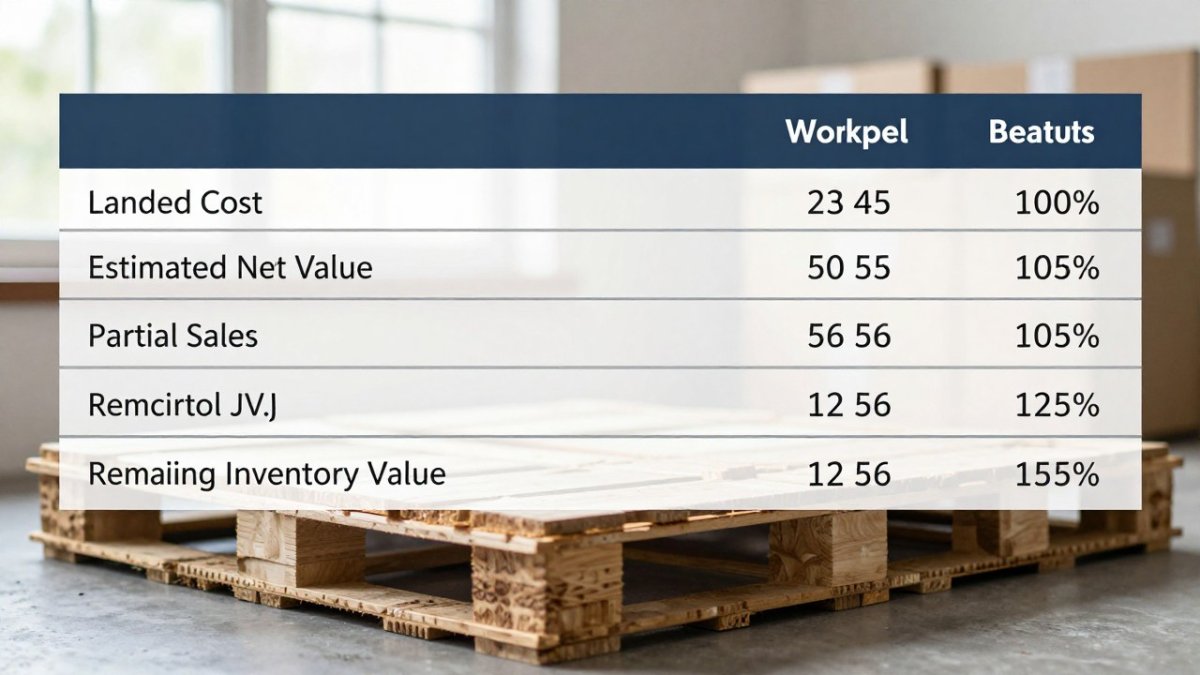
The article's worked example and formulas summarise how to move from landed cost to break-even and ROI:
| Metric | Formula or rule | Example from article |
|---|---|---|
| Total landed cost | Purchase + freight + fees + supplies | $800 total |
| Break-even in units | Landed cost ÷ avg net sale price | About 60 items |
| ROI to date | (Realized − allocated cost of sold) ÷ allocated cost of sold | Based on sold items only |
| Remaining inventory value | Sum of estimated net value of unsold items | About $640 |
| Pallet paid for | Cumulative realized net ≥ total landed cost | Not yet, $560 of $800 |
How to Track Liquidation Pallet Inventory Value Online
Online tools can replace much of the manual work. Many inventory apps let you link each item to a purchase lot, which then allocates cost across the items automatically.
Before you commit to any tool, weigh the cost against your volume. A few pallets a month can run fine on a spreadsheet. Once you process many lots, software that handles cost allocation and sales syncing can save hours each week.
Whatever tool you use, keep the same core fields: pallet ID, landed cost, condition, estimated value and realized value.
Setting Up Your Tracking System This Week
Start small. Pick your next pallet, build the purchase sheet, and log each item as you open it. Record its condition and an estimated value using sold listings. Track the first few sales against those estimates.
Review your numbers after each pallet. Look for patterns, such as categories that consistently sell above estimate or sellers whose manifests run short. Use what you learn to refine your buying decisions.
Consistent records are what turn liquidation buying into a repeatable business. Begin this week, and your next purchase will tell you far more than the manifest ever could.
Frequently Asked Questions
How do you track inventory from liquidation pallets?
Keep two records. The first logs each purchase: the manifest, total retail value listed, what you paid, and shipping or fees, so you know your full landed cost. The second logs each item as you inspect it: a lot or pallet ID, condition, asking price and, once sold, the actual sale price and date. Linking every item to its pallet lets you roll values up to a pallet total and see which purchases are paying off. Update the item sheet as you sell so the numbers stay current.
How do you calculate the value of a liquidation pallet?
Start with the manifest's total retail value, then subtract the discount you expect to lose to damage, missing items and unsellable filler. Next, estimate resale value using sold listings for comparable items rather than active asking prices. Subtract refurbishment and selling costs such as marketplace fees and shipping. This gives an estimated value you can compare against what you paid. Track realized sales separately, because the estimate and the actual return often differ.
How do you know when a liquidation pallet has paid for itself?
A pallet has paid for itself when cumulative realized sales, minus selling costs, equal or exceed your total landed cost, meaning the purchase price plus shipping, taxes and fees. Calculate this as a running total in your spreadsheet. Your break-even point is the sales figure at which that happens. Items still unsold do not count toward recovery, so keep an aging column to see whether remaining stock is likely to clear.
What should a liquidation pallet inventory spreadsheet include?
Include a purchase sheet with the supplier, pallet ID, purchase date, manifest quantity, total retail value, price paid and landed costs. Include an item sheet with pallet ID, item description, quantity received, condition, estimated resale value, asking price, sale price, sale date and status such as sold, unsold, damaged or missing. Add a summary tab that totals values per pallet, so you can compare returns across purchases quickly.